> For the complete documentation index, see [llms.txt](https://wiki.bityun.org/llms.txt). Markdown versions of documentation pages are available by appending `.md` to page URLs; this page is available as [Markdown](https://wiki.bityun.org/ios/ios-quantumult.md).
# iOS - Quantumult (圈) 使用教程
## 简介
[Quantumult](https://apps.apple.com/us/app/quantumult/id1252015438) 是一款在 `iOS/iPadOS` 平台上表现出色的网络代理工具,提供了丰富的自定义空间,在完美支持 SS(R) 协议的同时有不错的稳定性,且价格相对 Surge 来说更能让人接受。
主要特性:
* 目前支持协议: `SS(R)`,`HTTP`,`HTTP over TLS`,`SOCKS5` 和 `SOCKS5 over TLS`,`VMess`
* 自带分流规则,国内直连,国外代理。支持自定义规则(直连/代理/阻止),支持订阅分流配置
* 支持自定义域名解析DNS
* 支持HTTP复写,HTTPS解密,UDP转发
* 可实现服务器状态批量检测
* 流量统计功能
此教程初次整理时的系统环境:
iPad 2018 (国行),128G / iPadOS 13.3 beta1 (17C5032d)\
Quantumult 2.2.13 (Build 627)
此文档适用于:`比特云-网络加速`
文档中的某些内容可能随软件版本迭代而失效。
## 下载安装
Quantumult 在中国大陆区已被下架,请使用外区账号在 AppStore 下载。\
参考价格:4.99$
## 快速上手
### 添加服务器
请登陆机场官网,在我的订阅复制V2ray订阅链接。\
使用订阅转换API转换对应订阅:[https://acl4ssr.netlify.app/ ]()
打开 Quantumult,点击底部的「设置」进入设置页面。
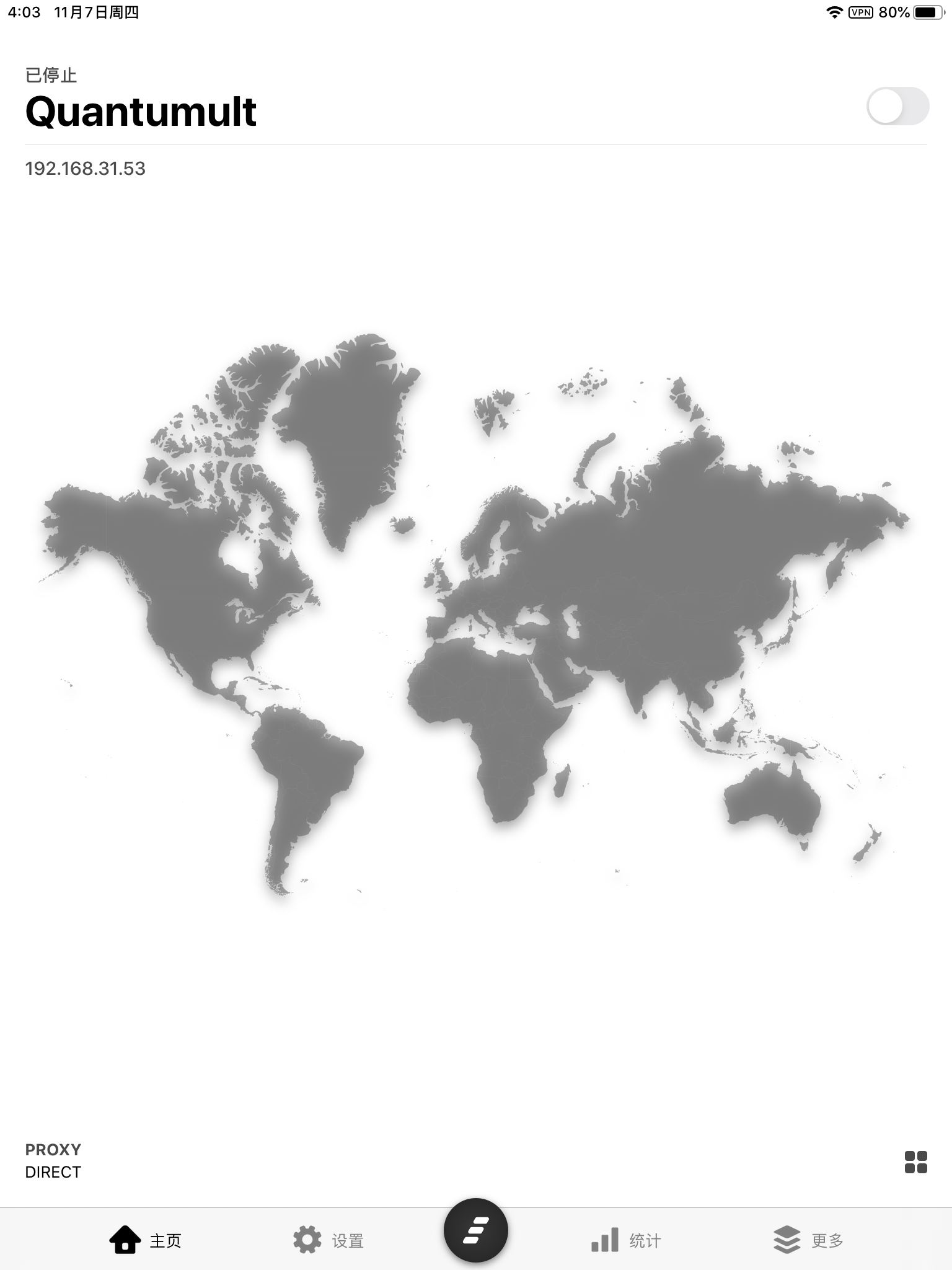
IMG\_6776.PNG
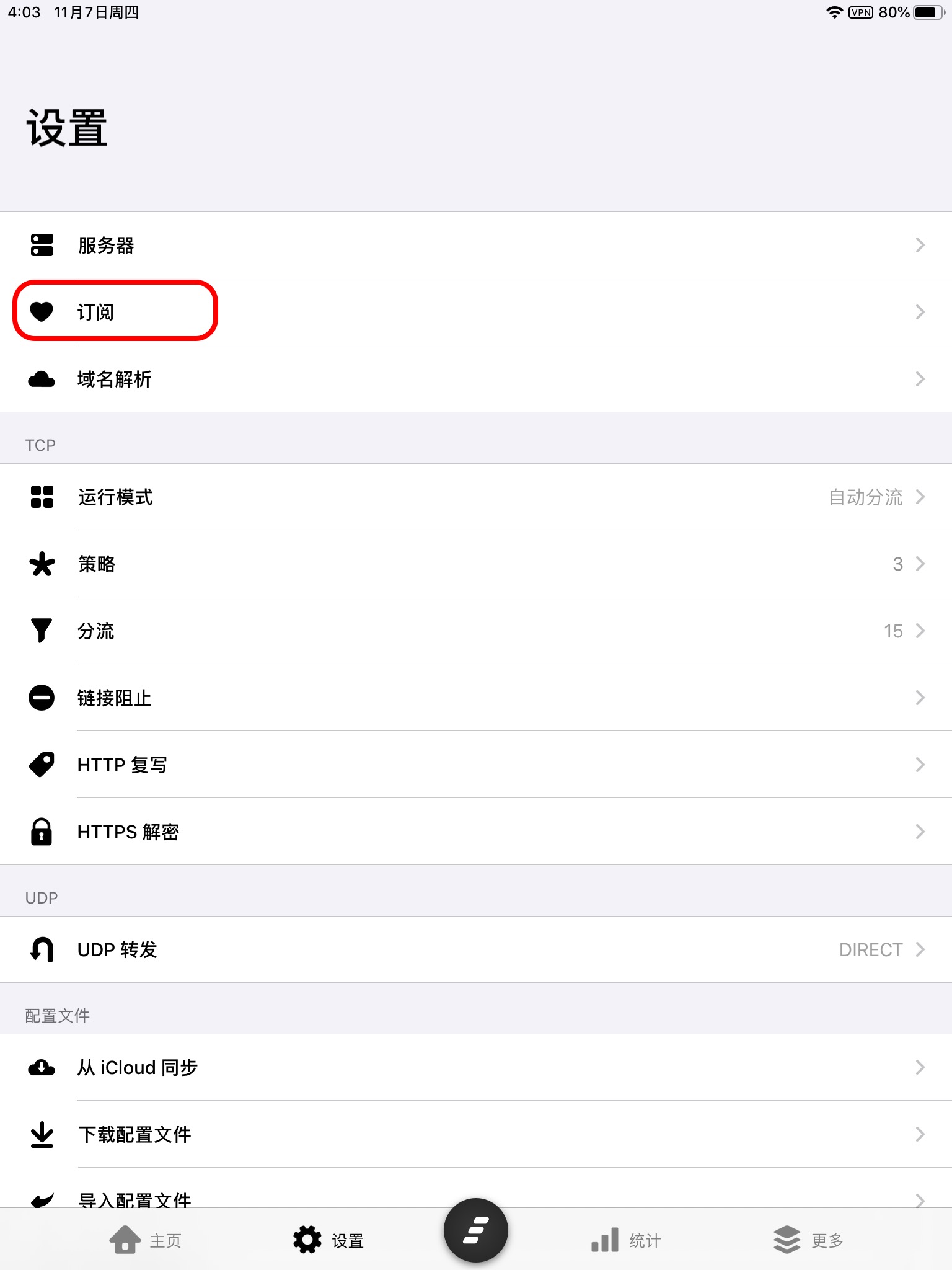
点击「订阅」 进入订阅管理页面,然后点击右上角的`+`,\
在弹出的菜单中选择「服务器」
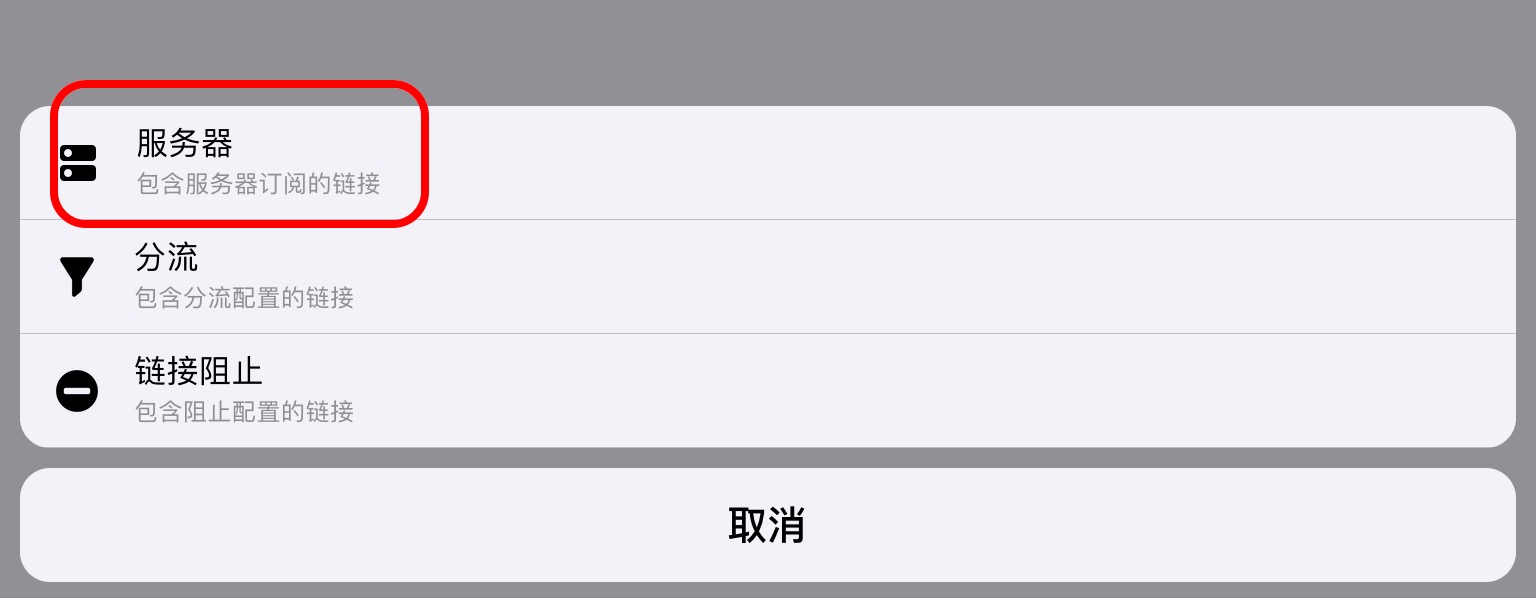
在新的页面中,点击 「名称」,输入 `test` 并保存,然后点击 「链接」,将订阅链接粘贴进去。点击右上角「保存」。
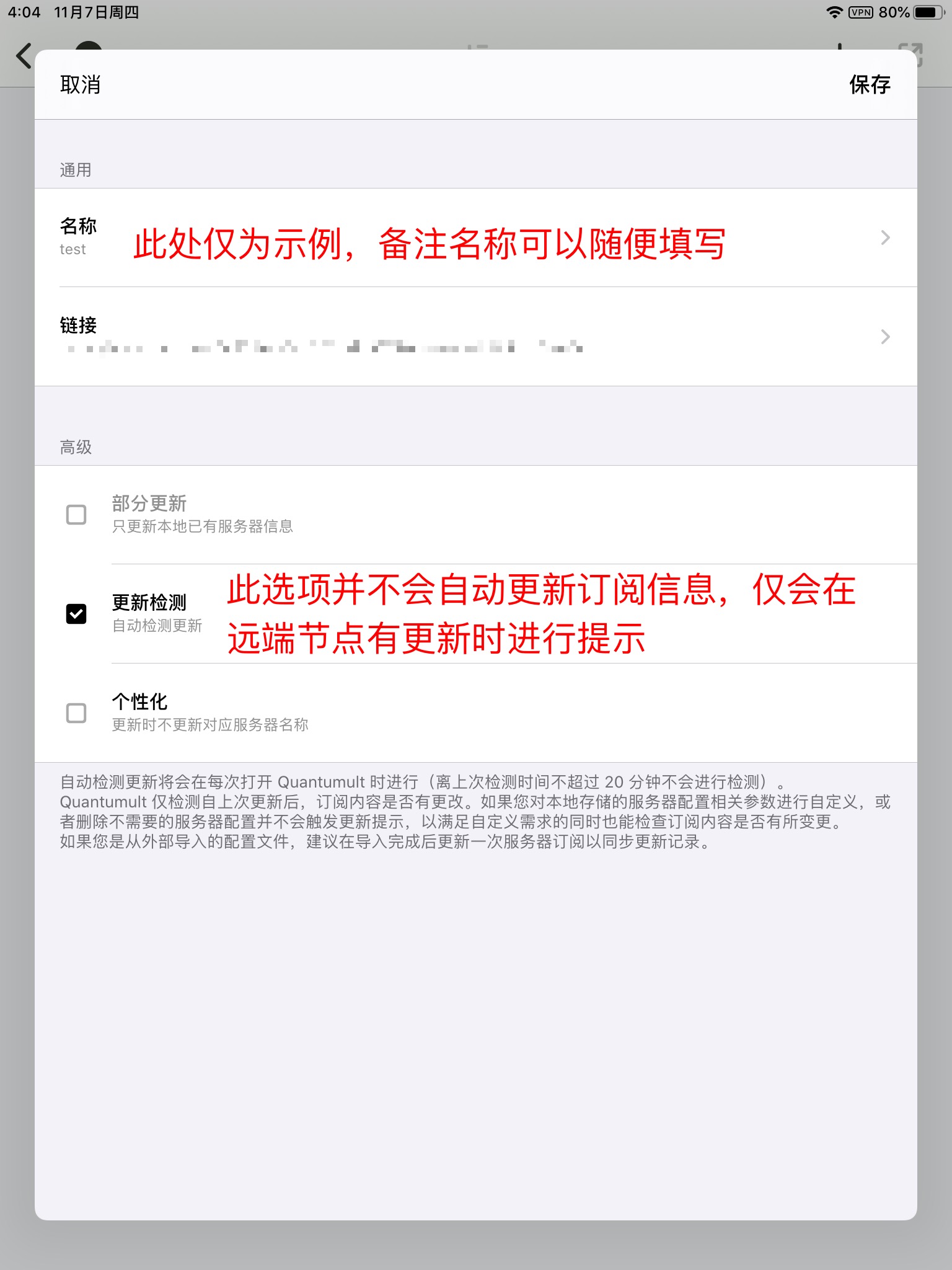
添加完成后,会自动返回订阅管理页面,这时在 `订阅` 分类下名为 `test` 的选项上向左划,点击「更新」
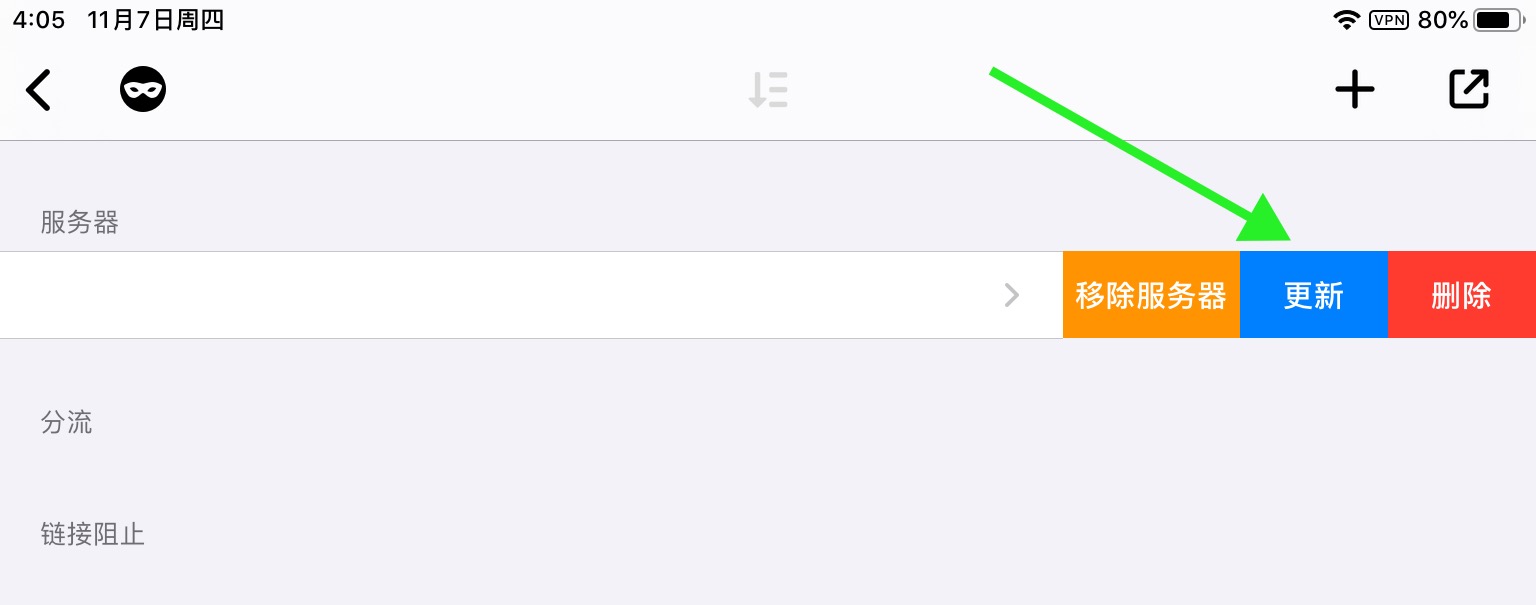
Quantumult 会开始更新节点并在完成后返回。
### 添加 TCP Filter (分流规则) 订阅
点击「订阅」 进入订阅管理页面,然后点击右上角的 +
这次在弹出的菜单中选择「分流」
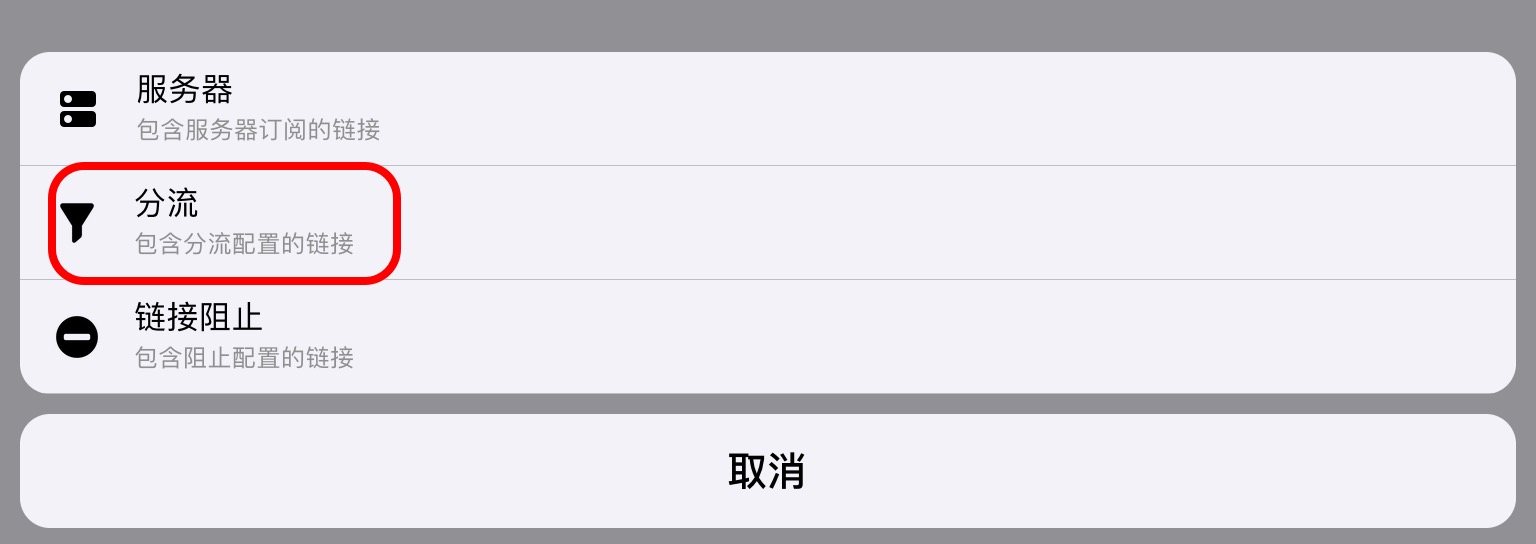
在新的页面中,点击 「名称」,输入 `分流` 并保存,然后点击 「链接」,添加:
| | |
| - | - |
然后勾选下方的「个性化」
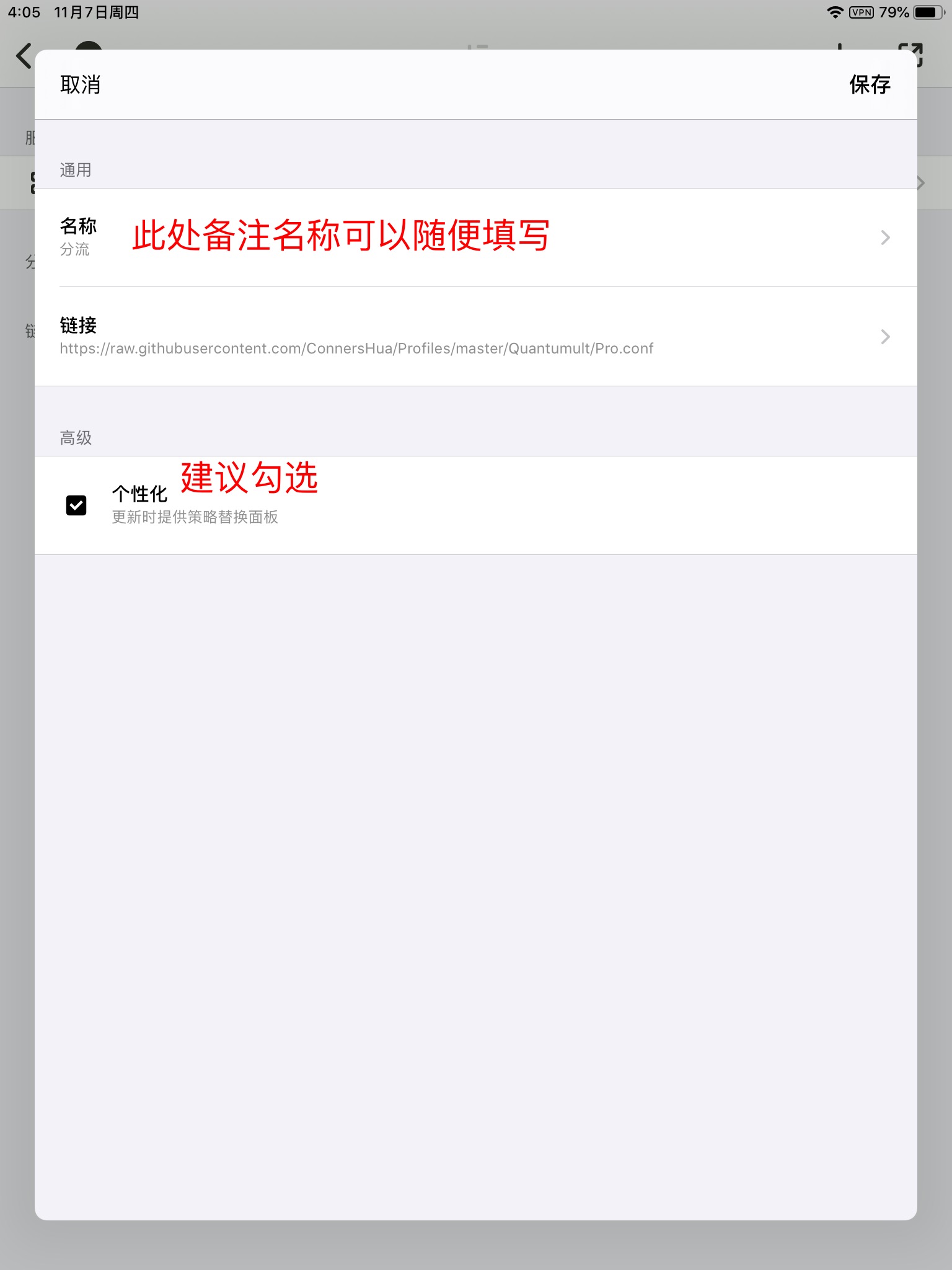
然后点击右上角「保存」
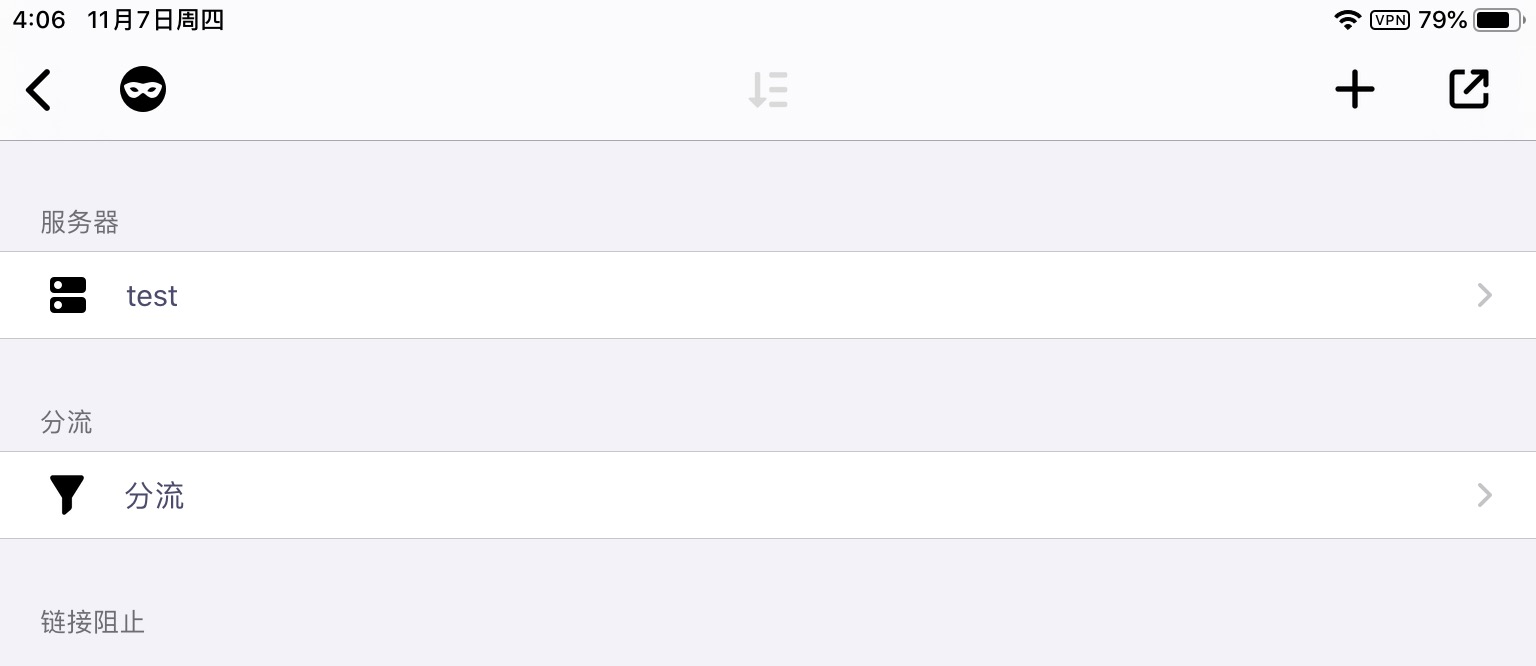
同样,在 `分流` 分类下名称为 `分流` 的选项上向左划,点击「替换」。Quantumult 会从 Github 服务器上下载分流规则,并在完成后弹出新页面:
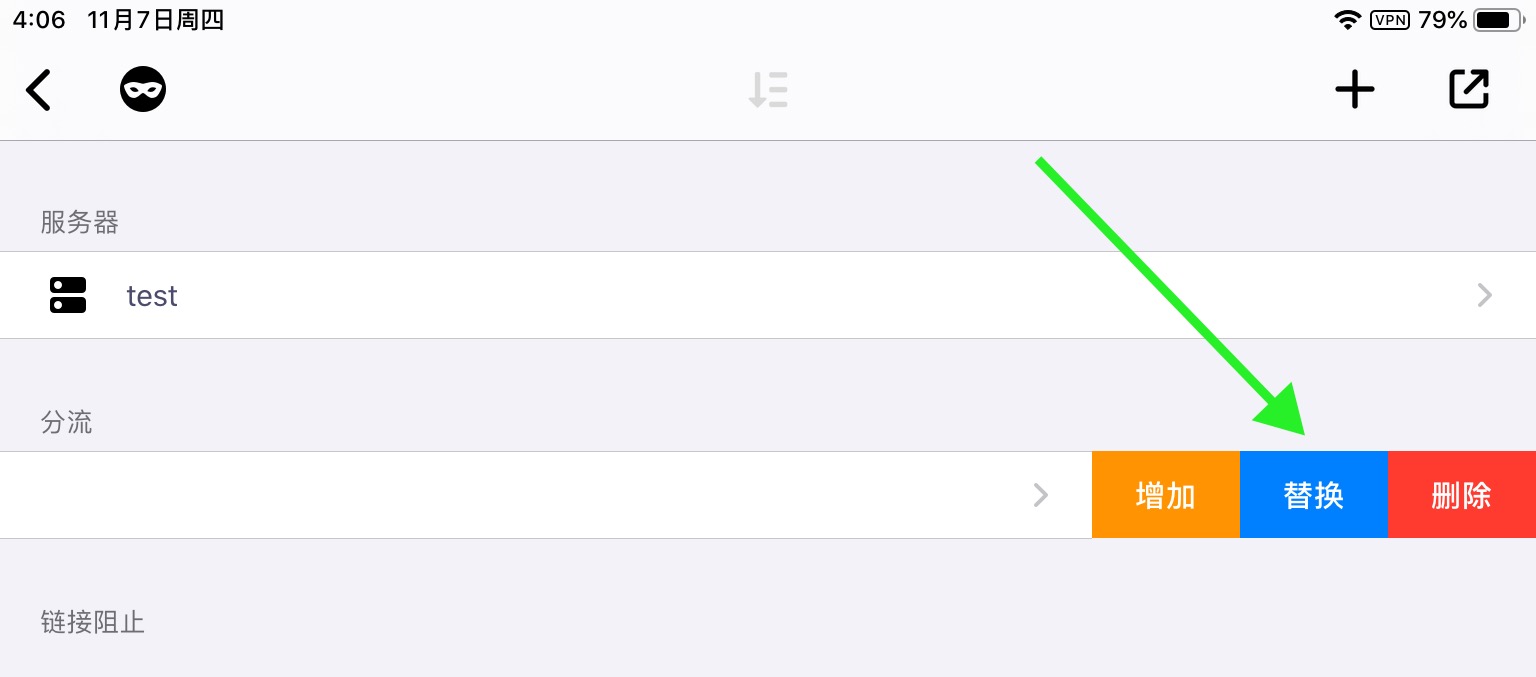
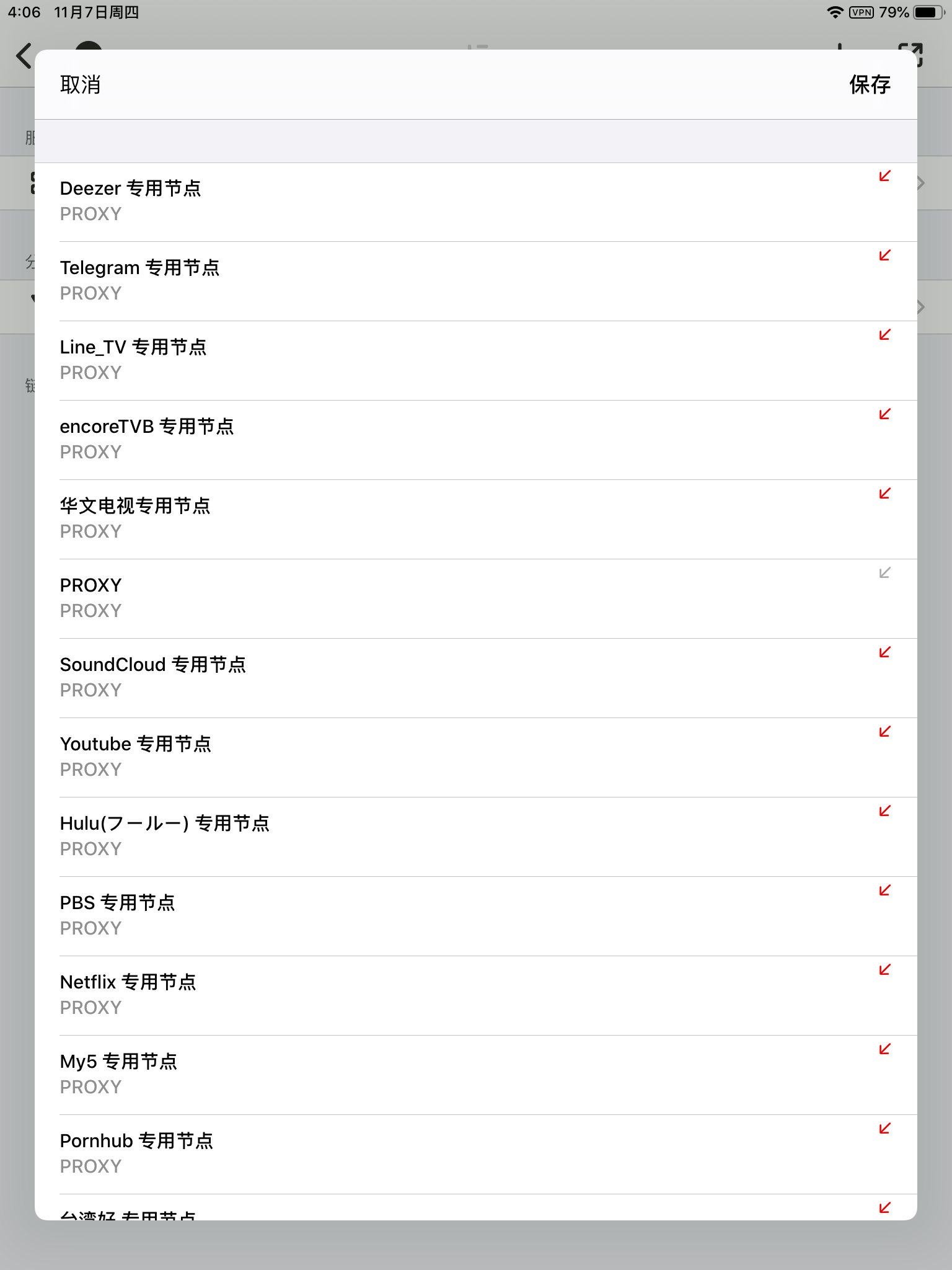
请根据自己的实际需求选择具体的选项。**如果您不清楚这些选项的具体含义, 直接点击 OK 即可。**
### 添加 Rejection 规则
点击「订阅」 进入订阅管理页面,然后点击右上角的 +
在弹出的菜单中选择「链接阻止」
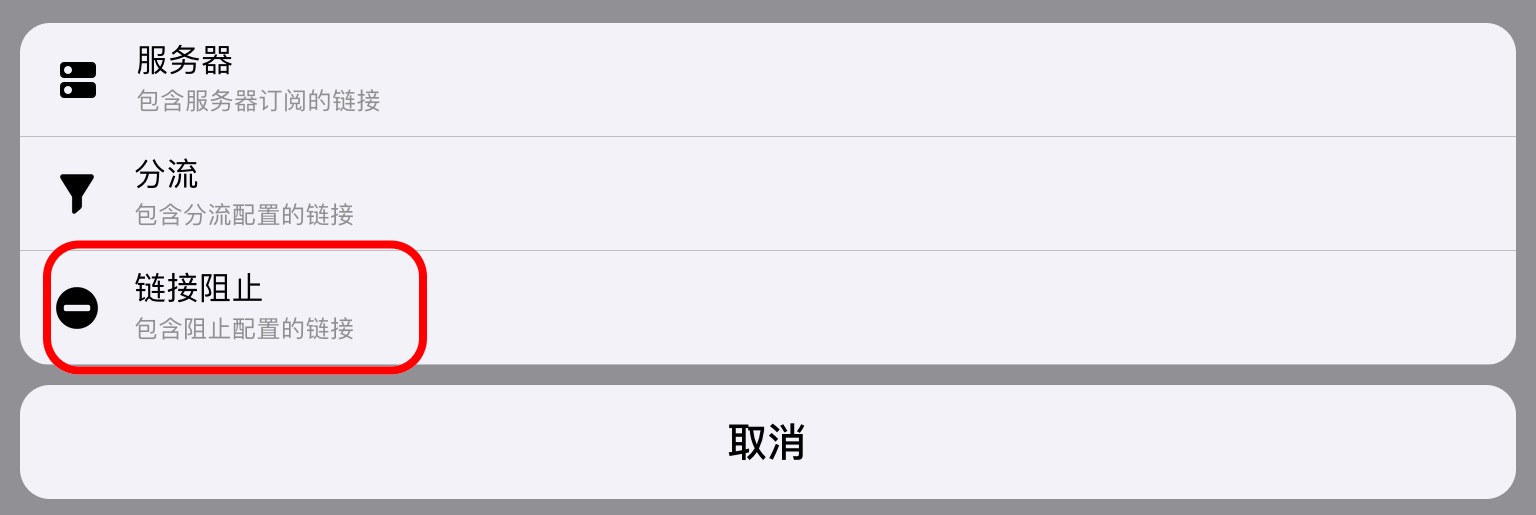
在新的页面中,点击 「名称」,输入 `链接阻止` 并保存,然后点击 「地址」,添加:
| | |
| - | - |
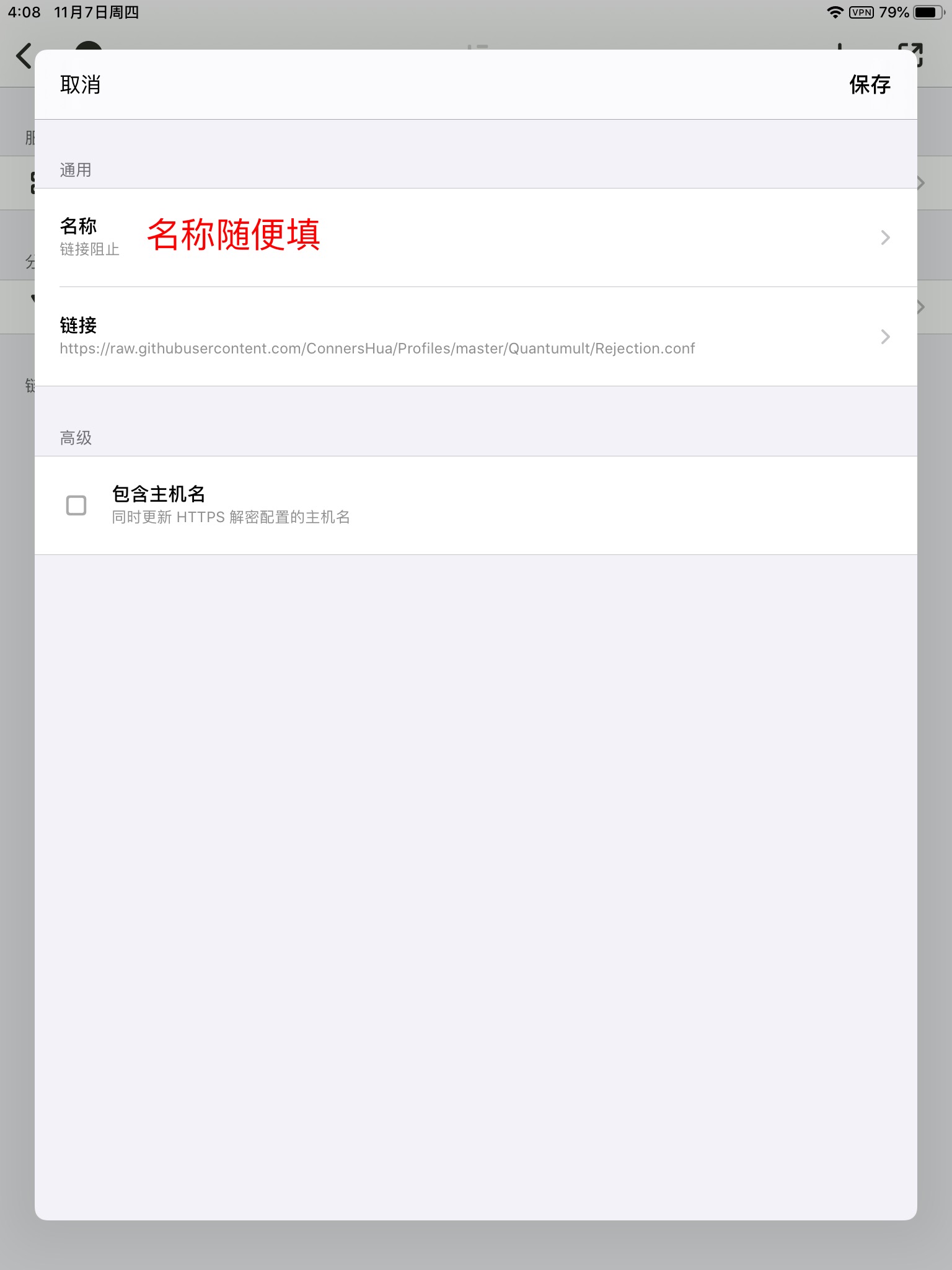
如果你需要使用 MitM 以将规则应用到 HTTPS 连接中,则应当勾选高级选项后启用中间人攻击功能。
在 `链接阻止` 分类下名称为 `链接阻止` 的选项上向左划,点击「替换」。
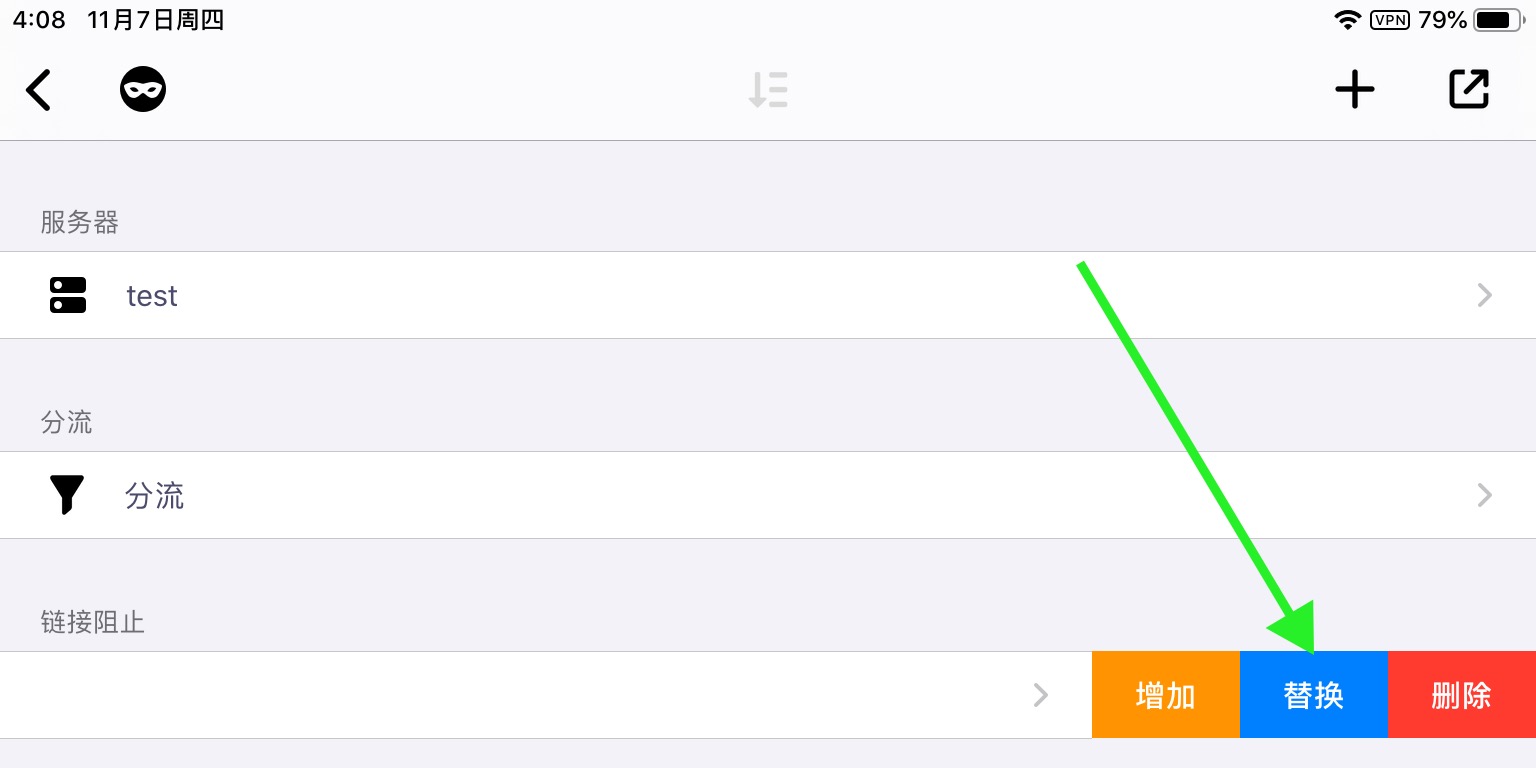
Quantumult 会从 Github 服务器上下载链接阻止规则,并在完成后弹窗提示。
### 启动 Quantumult
请回到软件首页,此时首页与初次安装相比应有所变化。请点击底部中间的按钮。
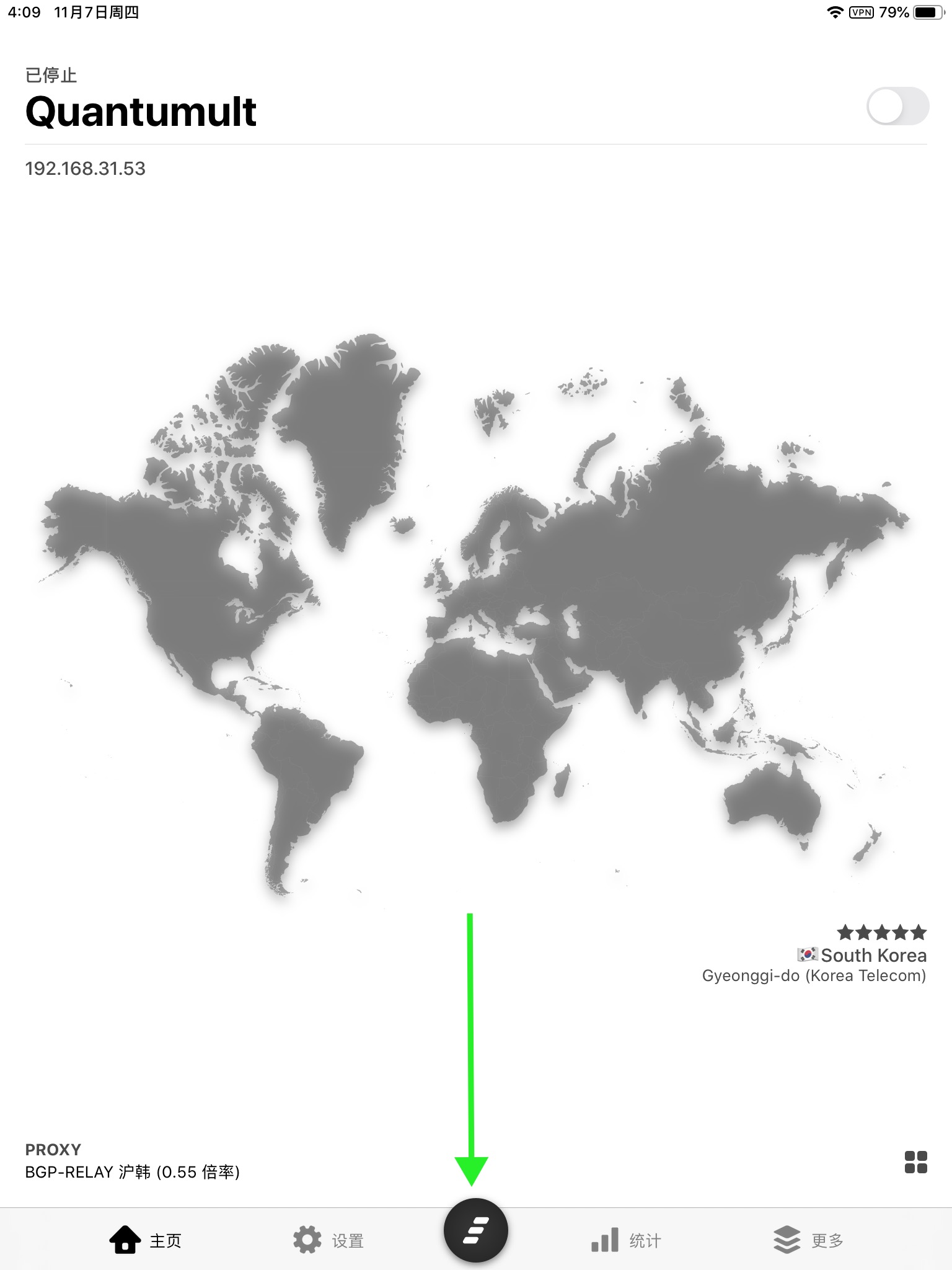
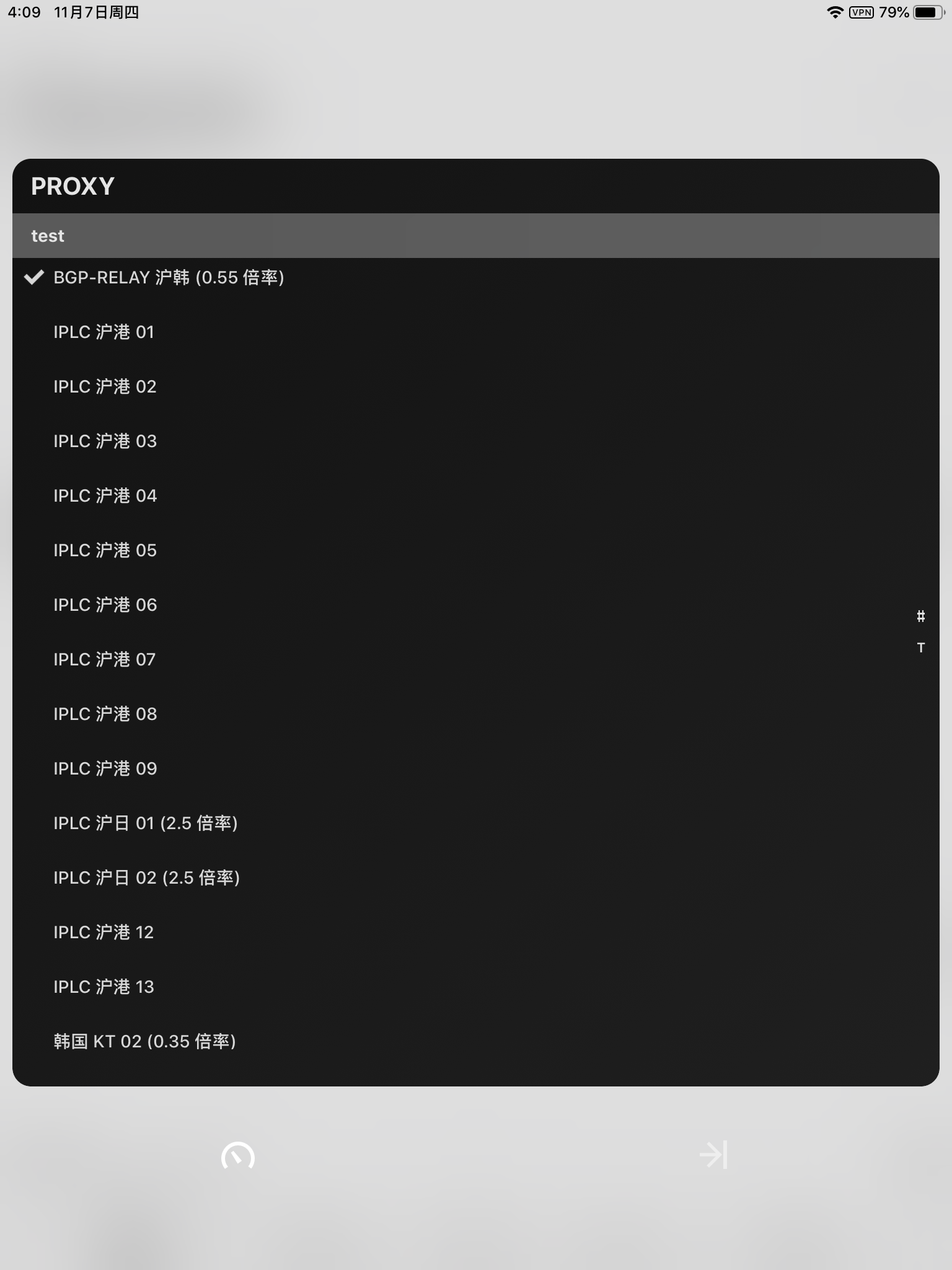
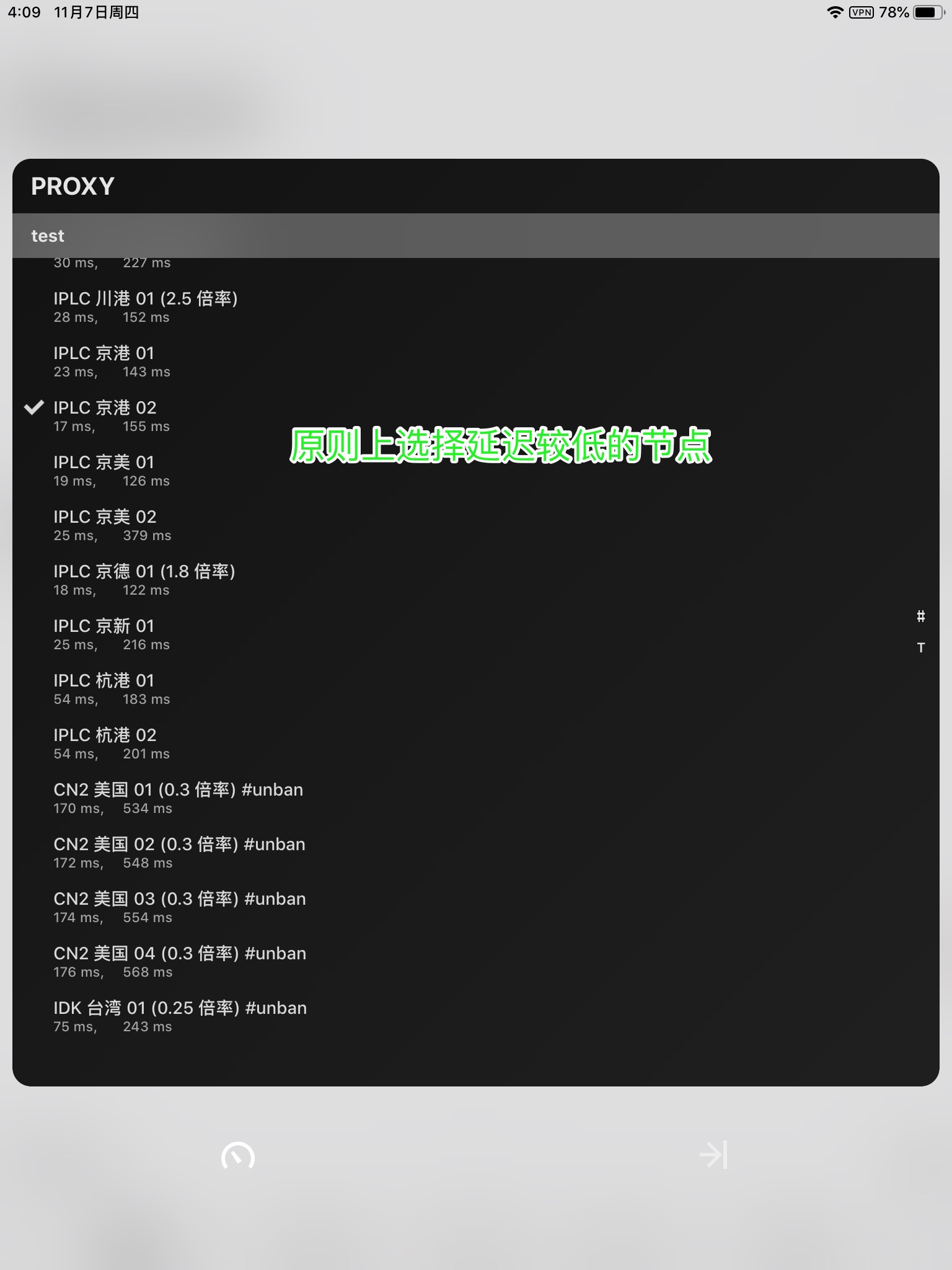
如上图,您此时应当可以看到刚刚添加过的节点。请点击当前页面左下角的按钮进行延迟测试。
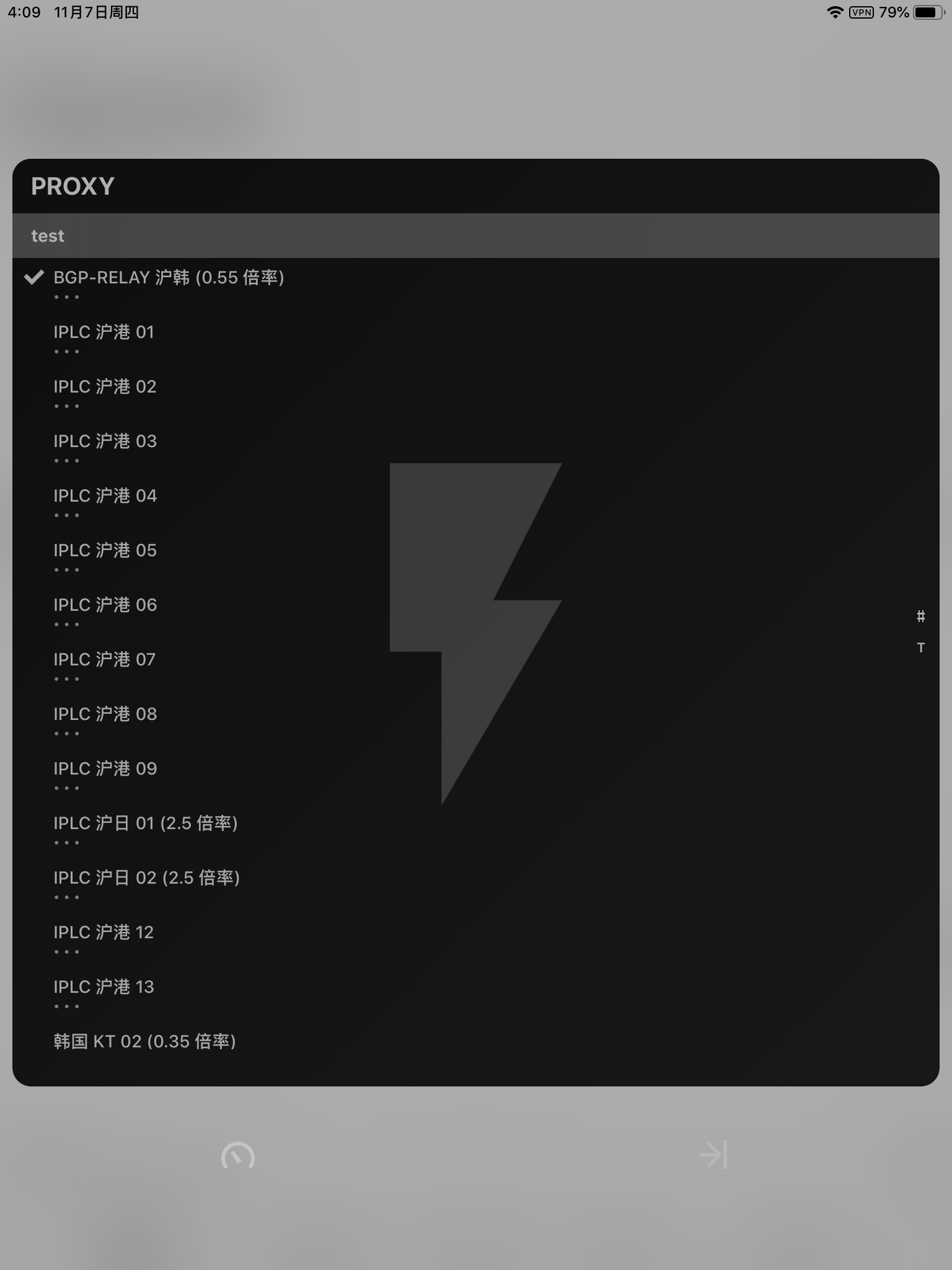
若干秒后,可以看到延迟测试结果。(近期的版本疑似已取消飞机、巴士、禁止等标志的显示)
建议选择一个延迟较低的节点进行连接。(但请注意延迟与网速并无关系)
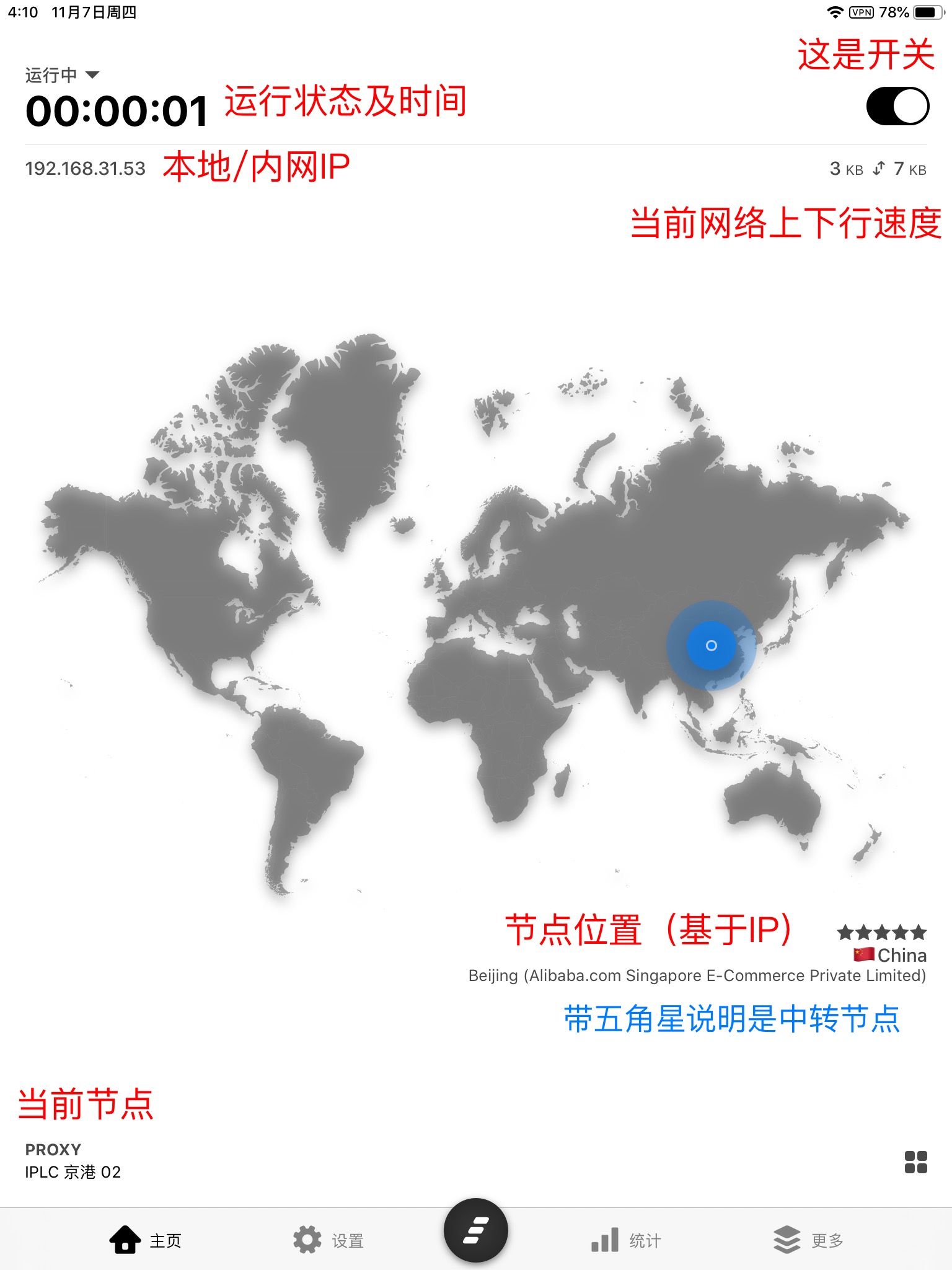
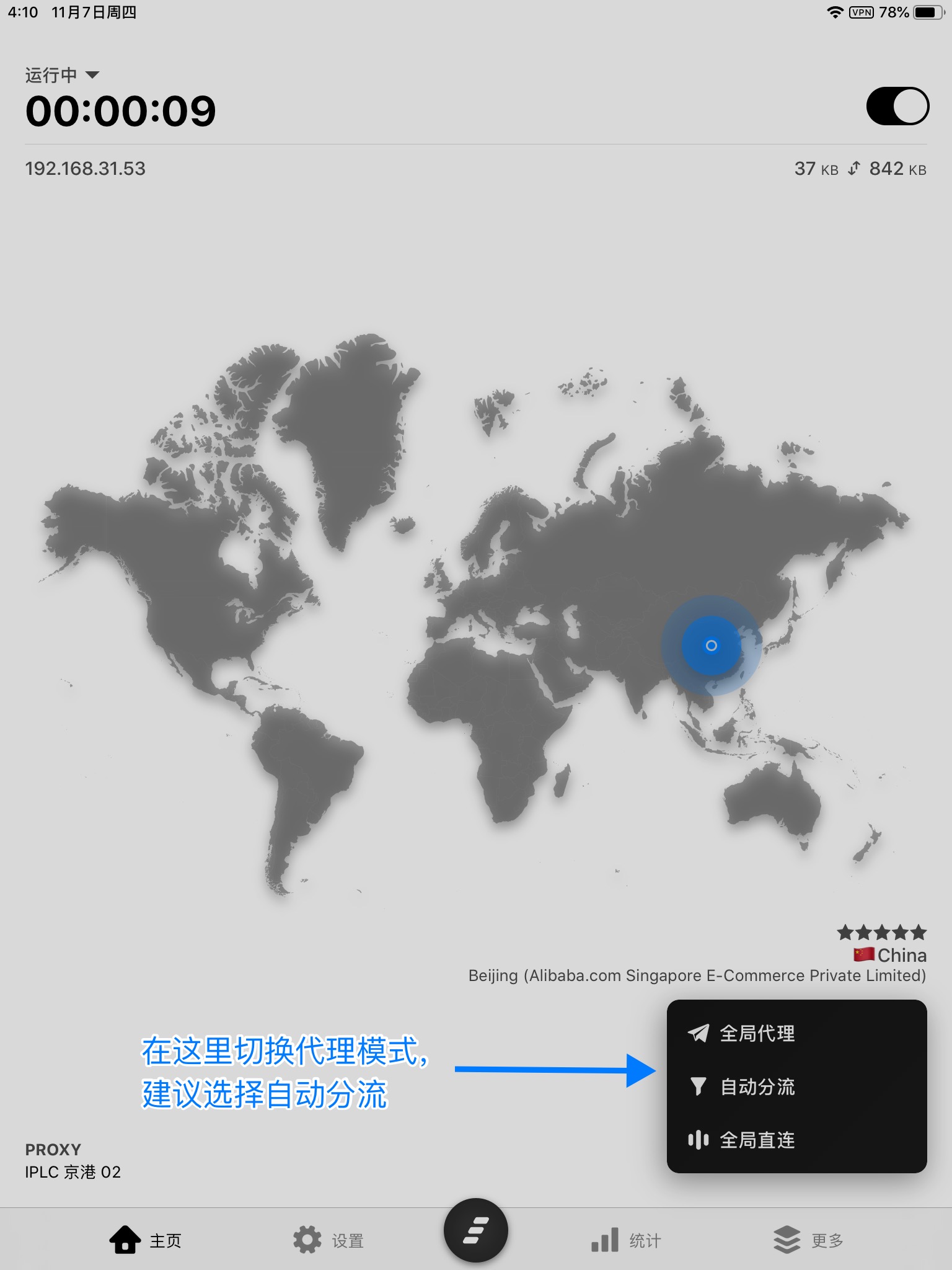
选好节点以后,会自动跳回软件首页。点击右上角开关以启用 `Quantumult`
此时您已可以通过 `Quantumult` 自由访问国际互联网。
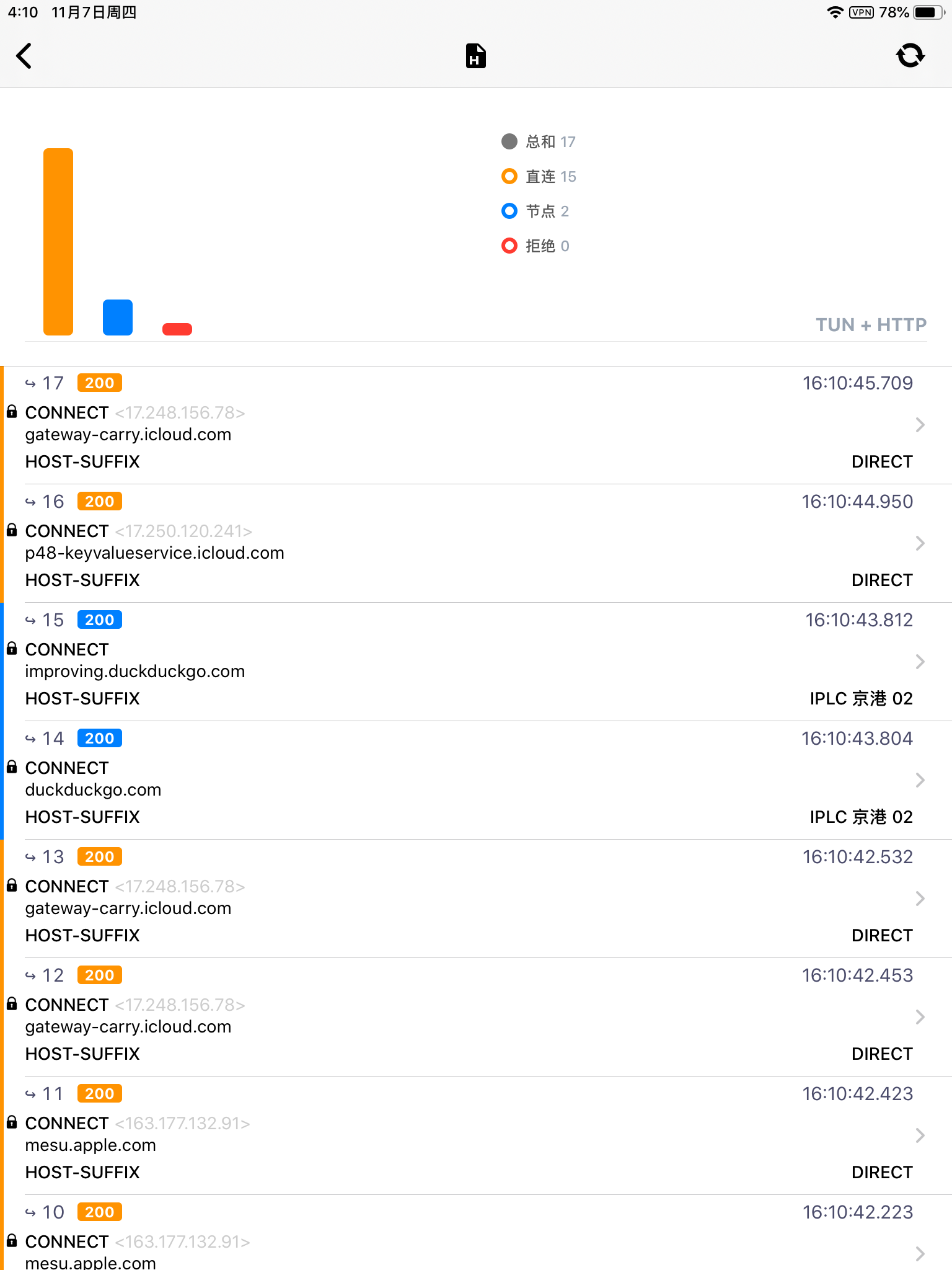
提示:点击下方的「统计」按钮,选择 `请求日志` ,可以查看自己的网络访问记录,以判断相关服务是否被正确代理。
## 更多
### 特殊模式
某些银行类和金融类的软件可能在启动时检查系统环境,在检测到 VPN 后会拒绝运行,启用 Quantumult 的特殊模式可以解决此问题。
如果使用 Facebook Messenger 时遇到连接问题,也可以尝试此特殊模式。
如果本来就能正常使用这些应用程序请勿启用此模式,将可能导致未知问题。
使用 iOS 设备的 Safari 浏览器点击下面的链接就可以启用或关闭此特殊模式。
点击[这里](quantumult://settings?compatible_level=1)启用特殊模式
点击[这里](quantumult://settings?compatible_level=0)关闭特殊模式
> Last updated: 2020-02-17 22:57:11\
> 参考出处 \
> 如有更多疑问,欢迎添加比特云官方频道询问:
---
# Agent Instructions
This documentation is published with GitBook. GitBook is the documentation platform designed so that both humans and AI agents can read, navigate, and reason over technical content effectively. Learn more at gitbook.com.
## Querying This Documentation
If you need additional information that is not directly available in this page, you can query the documentation dynamically by asking a question.
Perform an HTTP GET request on the current page URL with the `ask` query parameter:
```
GET https://wiki.bityun.org/ios/ios-quantumult.md?ask=
```
The question should be specific, self-contained, and written in natural language.
The response will contain a direct answer to the question and relevant excerpts and sources from the documentation.
Use this mechanism when the answer is not explicitly present in the current page, you need clarification or additional context, or you want to retrieve related documentation sections.